Zhack is a sleek and modern Elementor Template Kit designed specifically for personal portfolios and resumes. Perfect for freelancers, designers, developers, and creative professionals, Zhack offers a collection of beautifully designed templates that will help you showcase your skills, projects, and professional experience in the most impressive way possible.
Crafted with attention to detail, Zhack provides a fully responsive and retina-ready layout that looks stunning on all devices. With its seamless integration with Elementor, customization is a breeze—no coding required. Highlight your achievements, display your work, and stand out from the crowd with Zhack. Elevate your online presence and make a lasting impression with this versatile and user-friendly template kit.
Important: This is an Elementor Template Kit. Do not use WordPress “Tools > Import”. Install the Template Kit Import plugin (Plugins > Add New), then go to Tools > Template Kit to import.
Features:
- Great for Personal Portfolio & Resume
- Fully With Elementor Free Version (Elementor Pro is not required)
- Simple, Modern and Clean Design
- No Coding Knowledge Required
- 21+ Ready To Use Templates
- Easy & Fully Customizable
Templates Include:
- Global Kit Style
- Home
- About
- Services
- Service Detail
- Portfolio List
- Portfolio Detail
- Testimonials
- FAQ
- 404 Page
- Coming Soon
- Blog
- Single Blog
- Contact
- Header
- Footer
- Metform Contact
- Tabs-Skill
- Tabs-Experience
- Tabs-Education
- Tabs-Awards
Required Plugin:
- Elementor (Free)
- Jeg Elementor Kit
- MetForm
How to Use Template Kits:
This is not a WordPress Theme. Template kits contain the design data for Elementor only and are installed using the Template Kit Import plugin for WordPress.
Install and import kits via Tools > Template Kit after installing the "Template Kit Import" plugin (Plugins > Add New > search "Template Kit Import" by Envato).
- Plugins > Add New → search “Template Kit Import” (by Envato) → Install & Activate
- Go to Tools > Template Kit
- Upload your Template Kit ZIP
- Click “Install Requirements”
- Import “Global Kit Styles” first, then the pages/parts you need
Help & Support
Need more help? Choose an option below:
- Full Guide: https://help.market.envato.com/hc/en-us/articles/36033428836889-How-to-Upload-Install-Elementor-Template-Kits-from-Envato
- Contact Us: https://themeforest.net/user/codeinsolutions#message
For further support, go to Elementor > Get Help in WordPress menu.
How to Import Metforms
If you have Elementor Pro, skip install of Metform and form blocks.
- Import the metform block templates
- Import the page template where the form appears and right-click to enable the Navigator
- Locate and select the Metform widget and click Edit Form. Choose New, then Edit Form. The builder will appear
- Click ‘Add Template’ grey folder icon.
- Click ‘My Templates’ tab.
- Choose your imported metform template, then click ‘Insert’ (click No for page settings).
- Once the template is loaded, make any desired customizations and click ‘Update & Close’ The form will appear in the template
- Click Update
How to setup header in Jeg Elementor Kit plugin
If you have Elementor Pro, headers and footers may be customized under Theme Builder.
- Go to Jeg Elementor Kit menu item > Header Template
- Click Add New Header
- Add condition > All Site and click Create
- Click gray folder icon to access My Templates tab
- Insert the header template.
- Customize and Save.
Images
This Template Kit uses demo images from Envato Elements. You will need to license these images from Envato Elements to use them on your website, or you can substitute them with your own.
- https://elements.envato.com/collections/W69PAUZFND
FAQ
- Can I import via WordPress “Tools > Import”? No. That importer handles WXR posts/pages. This is an Elementor Template Kit and must be imported with the Template Kit Import plugin via Tools > Template Kit.
- Do I need Elementor Pro? No, this kit is built for Elementor Free unless otherwise noted.
- My pages don’t look like the demo. Go to Tools > Template Kit and click “Install Requirements”, then import “Global Kit Styles” first before importing pages/parts.
Explore more high-quality resources in our Web Templates library, and pair them with curated Graphic Templates and Web Templates for your digital creations.
📋 Asset Specifications & Compatibility
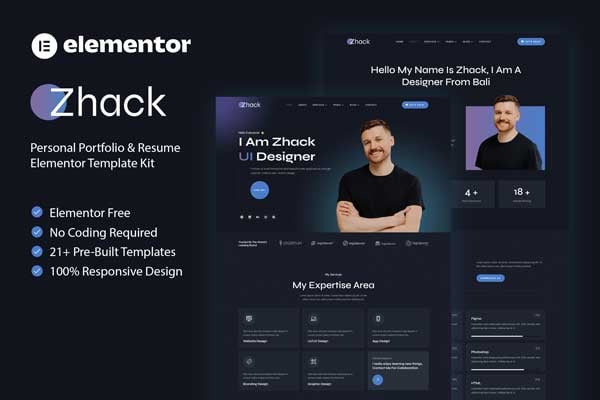
Original creative preview & visual showcase
⚡ High-Speed Direct Cloud Download
Original untouched resource package hosted on 5TB unlimited Google Drive: