Summary:
The Company Profile Template. Created in Adobe InDesign & Microsoft Word. Easy to edit and use and customize.
It’s fully editable and you can easily replace your own images, fonts, and change pages without loss of quality or layout Free Fonts and Icons link included.
——–
Item Specification:
• Available in adobe InDesign (Compatible with CS4 and Higher Version)
• Available in Microsoft Word.
• Available in Canva.
• A4 size (8.27" x 11.69") (21" x 29.7")
• Print Ready
• 16 Pages Custom Document
• 300 dpi, CMYK
• Using paragraph styles & character styles in Adobe InDesign
• Can be used for print or digital files (Export to Pdf)
• Auto page number in Adobe InDesign
• Editable files (text, color, & objects are editable)
• Use free font (download link in file text "Fonts Used")
• Provide file Help (please read this before open the file)
• Layered files
——–
Multi Purpose Used:
company profile, annual report, proposal, business plan, corporate brochure…etc.
——–
Files Included:
• PDF For Canva.
• Microsoft Word Documents (2 Formats) (.doc & .docx).
• Adobe InDesign document (.indd)
• Adobe InDesign (.idml) for cs4 or later version
• Help File .pdf
• Fonts download link
——–
Using Canva – Quick Guide:
- Sign Up for Free
Head to Canva Website and create a free account.
- Access the Template
Open the PDF file found in the PDF folder.
- Start Customizing
Click the link in the PDF to open the template in Canva and begin editing.
- Make It Yours
Personalize the design by changing text, fonts, colors, and images as you like.
- Download Your Design
Once you’re done, you can download your creation as a PDF, JPEG, or PNG.
- Edit Anytime
Feel free to reuse and modify the template whenever you need—it’s all yours!
——–
Important Notes:
• This template works on Adobe InDesign & Microsoft Word, you can not open it on any other system, please check the installation of the required system so that you can modify and use it.
• This is a template file, not a product mockup.
• Please read "Help File" before open the file.
• The text in preview image are sample text or placeholder text. You can insert your content or text.
——–
Help File:
A help file has been included next to this heart and includes the following :
• How to Install Fonts
• How to Open the file in Adobe InDesign
• How to edit some objects of the top & bottom of the pages
• How to insert images / edit images according to the shapes
• How do you change the color of a template
• Video tutorial links are included in the help file.
——–
All files are super organized and full layered. All text styles used within the templates can be found in the paragraph and character styles menus.
GOOD LUCK!
Explore more high-quality resources in our Graphic Templates library, and pair them with curated Graphic Templates and Web Templates for your digital creations.
📋 Asset Specifications & Compatibility
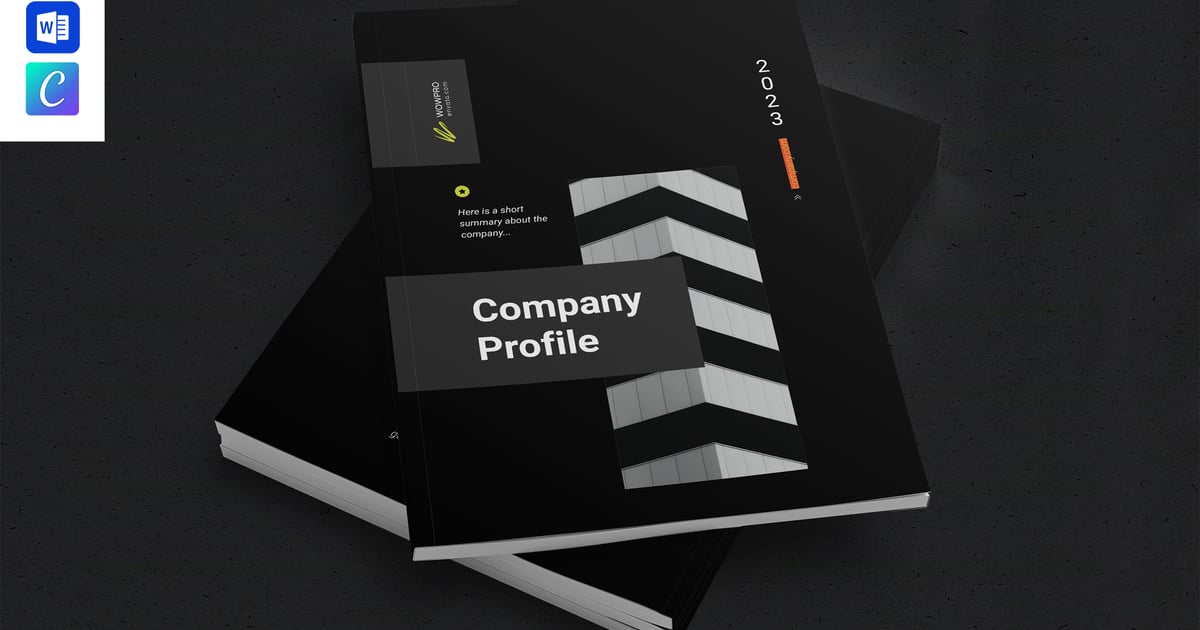
Original creative preview & visual showcase
⚡ High-Speed Direct Cloud Download
Original untouched resource package hosted on 5TB unlimited Google Drive: