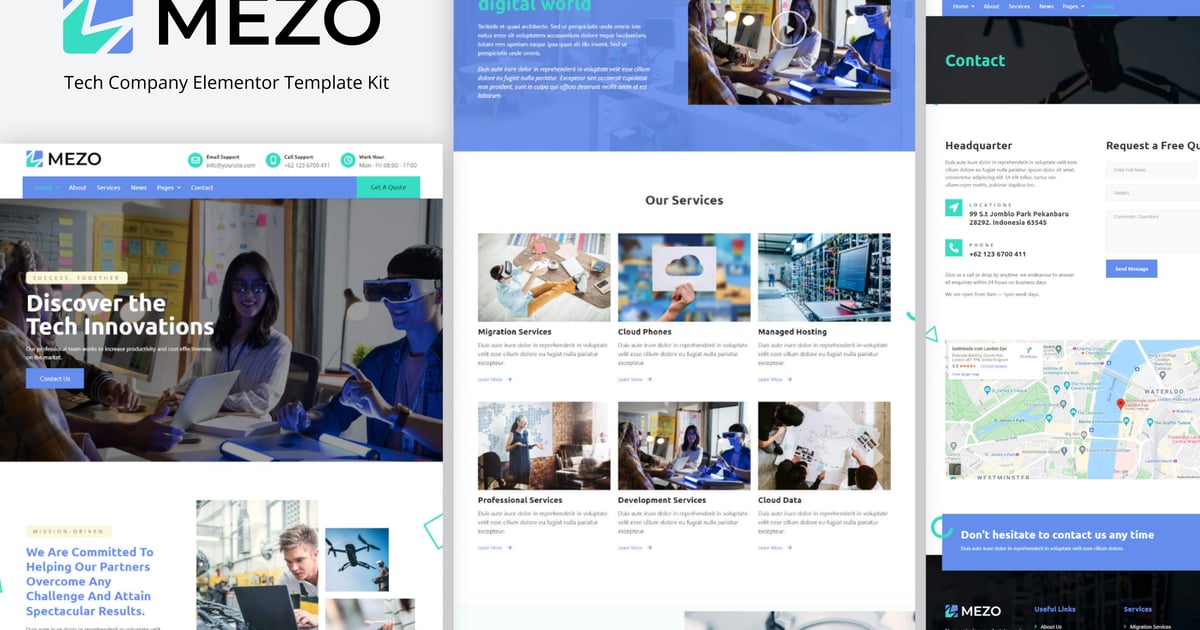
Mezo is Elementor Template Kits build for company, development service, digital, digital agency or multipurpose business. The template is pixel-perfect designed, making sure your final creation is flexible and easily extendable. Also, Encore works flawlessly on various screen size devices.
This is not a WordPress theme. Template Kits contain page content for Elementor page builder. This kit has been optimized for use with the free Hello Elementor theme but may be used with most themes that support Elementor.
Templates :
Homepage 1
Homepage 2
Homepage 3
Services
Single Service
Pricing Table
Page 404
Contact
Required Plugins :
Elementor
Header & Footer builder for Elementor
MetForm
PowerPack Lite for Elementor
How to Install:
Install and Activate the "Envato Elements" plugin from Plugins > Add New in WordPress
Do not unzip
Go to Elements > Installed Kits and click the Upload Template Kit button.
Before importing a template, ensure the Install Requirements button is clicked to activate required plugins
For best results, do not import more than one template at a time.
Go to Pages and create a new page and click Edit with Elementor
Click the gear icon at lower-left of the builder to view page settings and choose Elementor Full Width and hide page title
Click the gray folder icon to access My Templates tab and then Import the page you’d like to customize
[Detailed Guide](https://help.market.envato.com/hc/en-us/articles/900000842846-How-to-use-the-Envato-Elements-WordPress-Plugin-v2-0")
For further support, go to Elementor > Get Help in WordPress menu.
How to Import Metforms
Import the metform block templates
Import the page template where the form appears and right-click to enable the Navigator
Locate and select the Metform widget and click Edit Form. Choose New, then Edit Form. The builder will appear
Click ‘Add Template’ grey folder icon.
Click ‘My Templates’ tab.
Choose your imported metform template, then click ‘Insert’ (click No for page settings).
Once the template is loaded, make any desired customizations and click ‘Update & Close’ The form will appear in the template
Click Update
Setup Global Header and Footer in Header Footer & Blocks plugin
Import the header and footer template
Go to Appearance > Header Footer and click Add New button
Give it a title and select Header, Display on Entire Site and click Publish
Click Edit with Elementor
Click the gray folder icon to access My Templates tab and select the header template to import and Update.
Repeat for Footer
Images:
This Template Kit uses demo images from Envato Elements. You will need to license these images from Envato Elements to use them on your website, or you can substitute them with your own.
https://elements.envato.com/collections/N59THAZM7Y?utm_source=my_collection&utm_medium=link&utm_campaign=share_collection
I Hope you enjoy Thanks!
Explore more high-quality resources in our Graphics & Illustrations library, and pair them with curated Graphic Templates and Web & Site Templates for your digital creations.
📋 Asset Specifications & Compatibility
Item Title
Mezo – Template Kit de Elementor de Tech Company
Formats / Software
Adobe Photoshop / Illustrator / PNG
License Type
Commercial & Personal Use
Original creative preview & visual showcase
⚡ High-Speed Direct Cloud Download
Original untouched resource package hosted on 5TB unlimited Google Drive:
🔒 Direct SSL Encrypted Link • Fast Unthrottled Speed • Original Clean Archive
🔗 Explore Related Digital Asset Categories