Works with Adobe Photoshop CC 2015 and higher
Description:
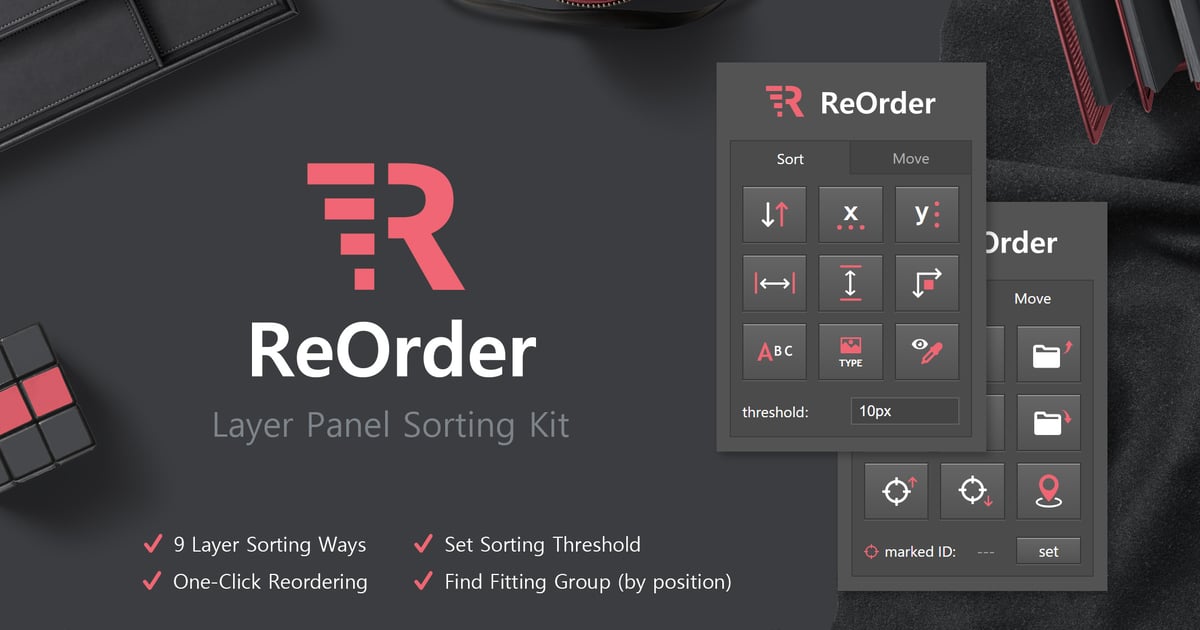
ReOrder lets you quickly organize your layer panel – Use the button interface to sort selected layers by position, size, name, type, label color and more.
In complex PSD Files it can be a pain to reorder layers and to find the right layer group. Instead of scrolling to find the right spot, ReOrder offers handy shortcuts to move layers around in the layer panel.
It can even put a layer in the right group based on its position on the canvas.
Update Log
Explore more high-quality resources in our Graphics & Illustrations library, and pair them with curated Graphic Templates and Web & Site Templates for your digital creations.
📋 Asset Specifications & Compatibility
Original creative preview & visual showcase
⚡ High-Speed Direct Cloud Download
Original untouched resource package hosted on 5TB unlimited Google Drive: