Fur Photoshop Brushes
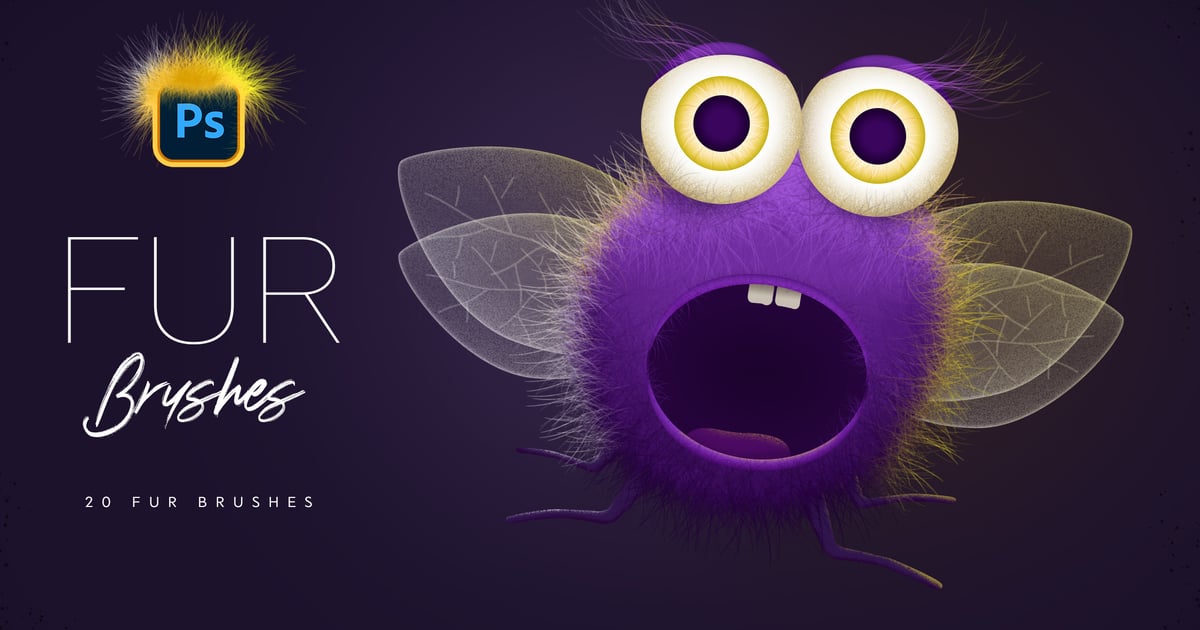
Get 20 brushes for Photoshop drawing. It is easy to paint a variety of fur – long or short, thick or thin. You can use brushes with pen, or mouse. Also you can create a path and use ‘Stroke Path’ function. Get cool fluffy effect easily!
Features:
- 20 Photoshop Brushes
- Different Fur Effects
- Easy to Paint
- Easy to Customize
**How to install: **
- Download the file on your PC or MAC
- Double Click on "Fur_Brushes_[by_Sko4].abr" or drag and drop .ABR file into your Photoshop
- Photoshop will automatically install all the brushes and they will appear in your brush list. Press F5 to customize brush settings.
Explore more high-quality resources in our Add-ons library, and pair them with curated Graphic Templates and Web Templates for your digital creations.
📋 Asset Specifications & Compatibility
Item Title
Fur Photoshop Brushes
Element ID
LQMUTGW
Category
Formats / Software
Adobe Photoshop
License Type
Commercial & Personal Use
Official Source
Original creative preview & visual showcase
⚡ High-Speed Direct Cloud Download
Original untouched resource package hosted on 5TB unlimited Google Drive:
🔒 Direct SSL Encrypted Link • Fast Unthrottled Speed • Original Clean Archive