—— Works with Photoshop CC 2015 and higher ——
Description:
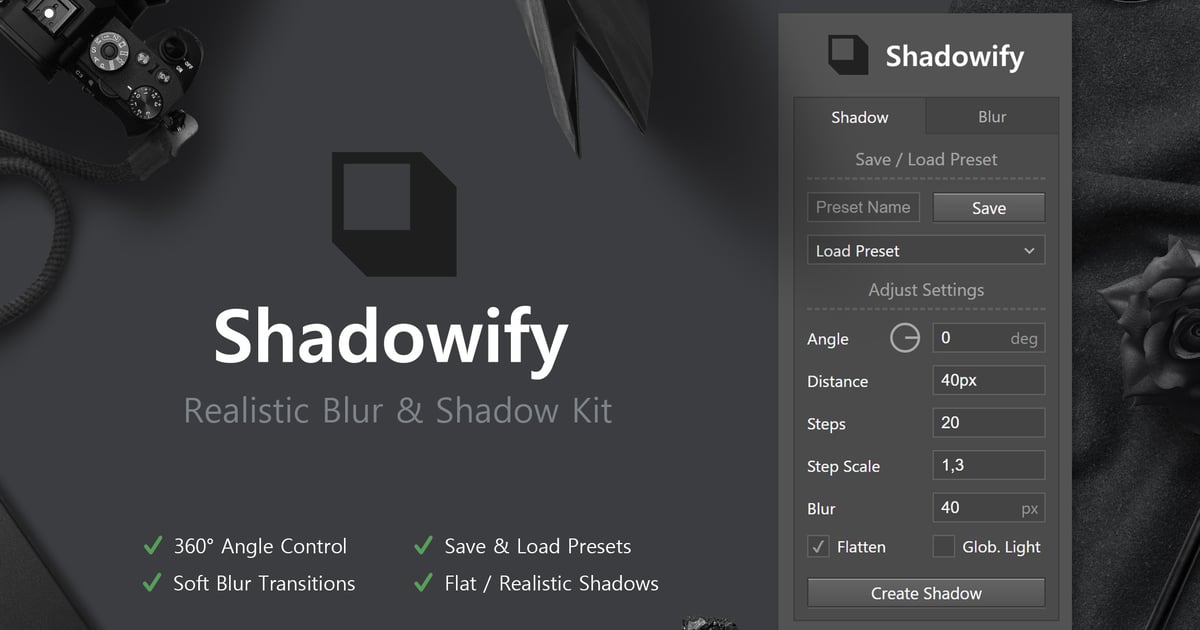
Dropshadows in Photoshop often look unrealistic – Shadowify allows you to create more natural shadows by applying stepwise blur. You can create customizable dropshadows from scratch with a click or blur existing shadows. All settings are customizable, so you can also turn off blur and create some flat shadows like often used in minimalistic design. The direction can even be adjusted afterwards via global light. You can save your favourite shadow and blur settings as presets for later use.
Features
- Full 360° Angle Control
- Save & Load Unlimited Presets
- Create Soft Blur Transitions
- Flat or Realistic Shadows
- Unit Values (px, in, %, …)
- Works on any Layer Type
- Last Settings get loaded at panel start
- Quickly change values per drag on the label
- Editable via Global Light
- Control Gaussian & Motion Blur
V.1.0.1 Changes:
- fix error which prevented shadow presets from loading
- make panel adjustable in height
Explore more high-quality resources in our Add-ons library, and pair them with curated Graphic Templates and Web Templates for your digital creations.
📋 Asset Specifications & Compatibility
Original creative preview & visual showcase
⚡ High-Speed Direct Cloud Download
Original untouched resource package hosted on 5TB unlimited Google Drive: