Introduction
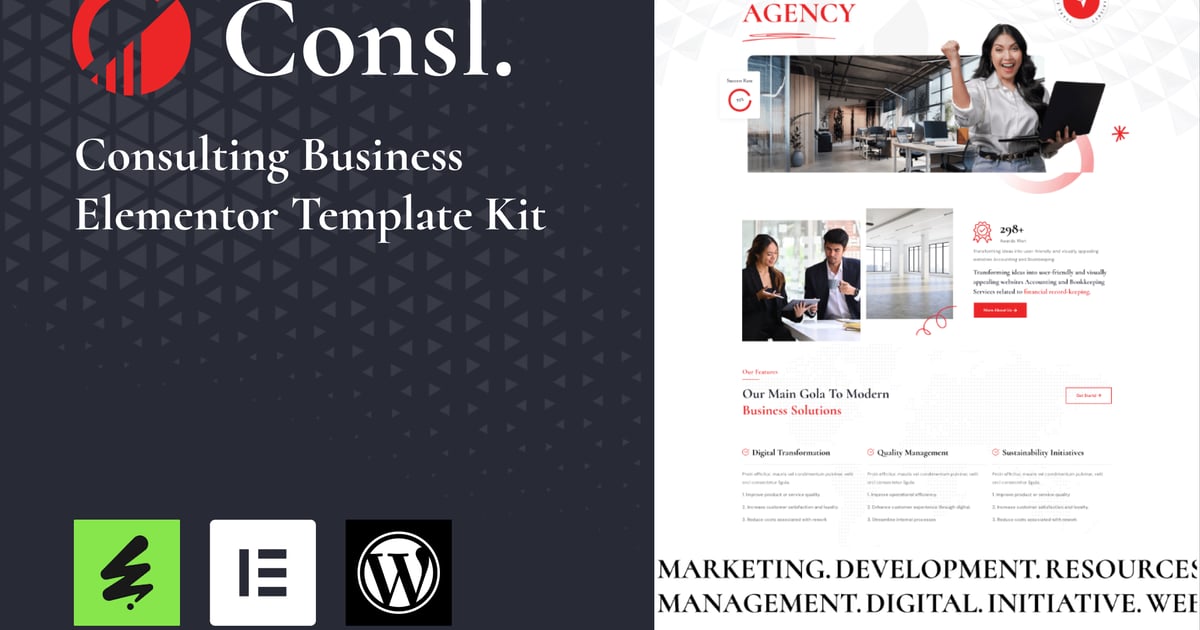
Consl – Consulting Business Elementor Template Kit is a sophisticated and versatile Template Kit designed specifically for consulting firms, advisory agencies, and professional services businesses. With its sleek and modern design, this theme combines functionality with aesthetics to create a powerful online presence for your consulting business.
Consl – Templates
Home One
Serviecs
Serviec details
Pricing
Team Single
Projects
Project Details
Contact
Sections
Section – Header
Section – Footer
Contact Form
Section – Hero
Section – About
Section – Portfolio
Section – Features
Section – Services
Section – Fun Facts
Section – Case Studies
Section – Pricing
Section – Company
Section – FAQ
Section – Testimonials
Section – Contact
Section – News Update Form
Section – Contact Form
Section – Contact Form 2
Section – Team
Consl – Features
20+ Ready to use templates
Modern Layout and Clean Design
Built with Elementor Free Version (Pro is not required)
100% Responsive & Mobile-Friendly
No Coding Knowledge Required
Easy & Fully Customizable
Cross Browser Compatibility: Chrome, Firefox, Safari, Opera
and much more!
Required Plugins
Elementor
ElementsKit Lite
Happy Elementor Addons
Elextra Widgets for Elementor
Sticky Header Effects for Elementor
MetForm
### How to Use Template Kits:
This is not a WordPress Theme. Template kits contain the design data for Elementor only and are installed using the envato Template Kit Import plugin for WordPress or directly through Elementor.
Detailed Guide:
https://help.market.envato.com/hc/en-us/articles/36033428836889-How-to-Upload-Install-Elementor-Template-Kits-from-Themeforest-to-WordPress
For further support, go to Elementor > Get Help in WordPress menu.
How to setup header in Jeg Elementor Kit plugin
If you have Elementor Pro, setup headers and footers in Theme Builder. Pages you create with Elementor must have the Page Layout set to Elementor Full width for the global header and footer to appear.
Go to Jeg Elementor Kit menu item > Header Template
Click Add New Header
Add condition > All Site and click Create
Click the pencil icon to Edit and elementor will appear
Click gray folder icon to access My Templates tab
Insert the header template.
Customize and Save.
How to Import MetForm Custom Form:
While edititing a page where a form should appear, open the Elementor navigator to locate the Metform widget.
Click Edit Form in the builder panel.
Select New, leave blank selected then click Edit Form button.
Click ‘Add Template’ grey folder button.
Click ‘My Templates’ tab.
Choose your imported MetForm template, then click ‘Insert’.
Once the template is loaded, click ‘Update’.
This Template Kit uses demo images from Envato Elements. You will need to license these images from Envato Elements to use them on your website, or you can substitute them with your own.
https://elements.envato.com/collections/CLB75XMA8H
Explore more high-quality resources in our Graphics & Illustrations library, and pair them with curated Graphic Templates and Web & Site Templates for your digital creations.
📋 Asset Specifications & Compatibility
Item Title
Consl – Kit de plantillas Elementor para empresas de consultoría
Formats / Software
Adobe Photoshop / Illustrator / PNG
License Type
Commercial & Personal Use
Original creative preview & visual showcase
⚡ High-Speed Direct Cloud Download
Original untouched resource package hosted on 5TB unlimited Google Drive:
🔒 Direct SSL Encrypted Link • Fast Unthrottled Speed • Original Clean Archive
🔗 Explore Related Digital Asset Categories