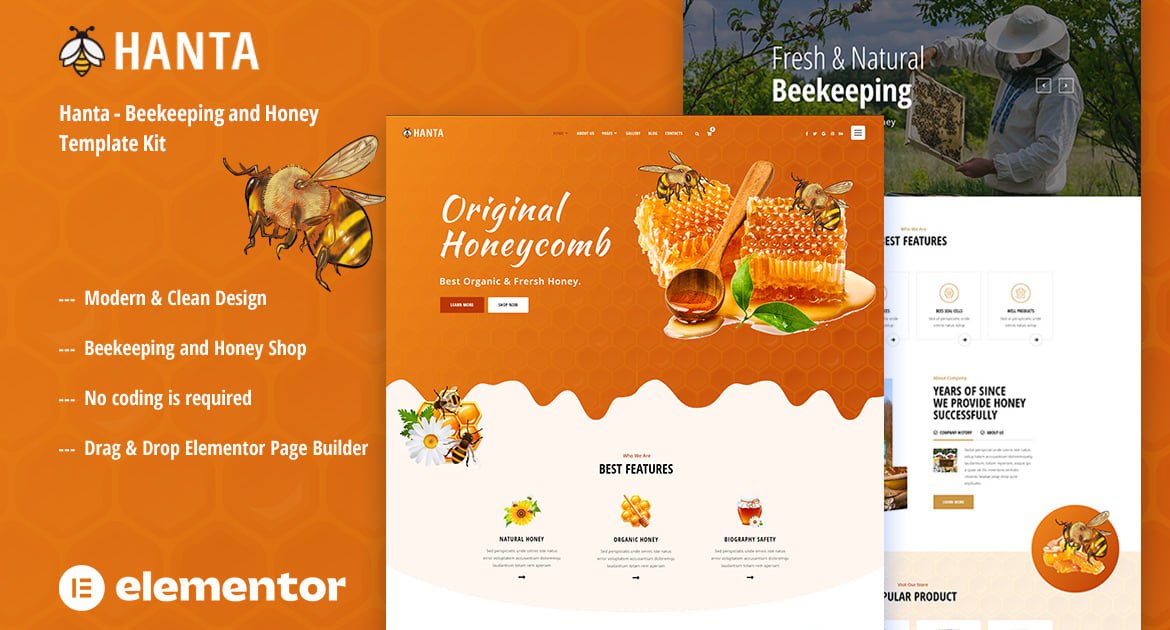
Hanta is a Template Kit designed for the website of honey production and organic food store websites. The Kit is not limited to just beekeeping and could easily be adapted to suit a wide range of applications. This kit has been optimized for use with the free Hello Elementor theme but may be used with most themes that support Elementor, The modular includes flexible drag & drop UI that allows you to adapt any elements like listing fields, custom taxonomies, page layouts.
2 pages Home unique
Beekeeping and Honey Shop
No Coding Knowledge
No upgrades required
Header & Footer Builder Included
One Click Demo Import
Unique and Modern Style.
Clear and Clean Layout
Cross browser compatible
Post Widget
Carousel Slide Box ( Create sliders with anything )
Responsive and Retina Ready
Compatible with most WordPress themes
Optimized for search engines
### Required Plugins installed with kit :
Elementor
Themesflat Addons For Elementor
MetForm
ElementsKit Lite
WooCommerce (optional, for shop functionality)
How to Use Template Kits:
Install and Activate the "Envato Elements" plugin from Plugins > Add New in WordPress
Download your kit file and Do not unzip
Go to Elements > Installed Kits and click the Upload Template Kit button. You may also import automatically by clicking Connect Account to link your Elements subscription, then import under Elements > Template Kits.
Check for the orange banner at the top and click Install Requirements to load any plugins the kit uses
Click import on the Global Kit Styles first
Click Import on one template at a time. These are stored in Elementor under Templates > Saved Templates.
Go to Pages and create a new page and click Edit with Elementor
Click the gear icon at lower-left of the builder to view page settings and choose Elementor Full Width and hide page title
Click the gray folder icon to access My Templates tab and then Import the page you’d like to customize.
Detailed Guide: https://help.market.envato.com/hc/en-us/articles/900000842846-How-to-use-the-Envato-Elements-WordPress-Plugin-v2-0
For further support, go to Elementor > Get Help in WordPress menu.
Setup Global Header and Footer in Header Footer & Blocks plugin
Import the header and footer template
Go to Appearance > Header Footer and click Add New button
Give it a title and select Header, Display on Entire Site and click Publish
Click Edit with Elementor
Click the gray folder icon to access My Templates tab and select the header template to import and Update.
Repeat for Footer
This Template Kit uses demo images from Envato Elements. You will need to license these images from Envato Elements to use them on your website, or you can substitute them with your own.
https://elements.envato.com/image-JD5CJPP
https://elements.envato.com/image-KDGDZV2
https://elements.envato.com/image-WTUBWD7
https://elements.envato.com/image-TYB2HBR
Explore more high-quality resources in our Graphics & Illustrations library, and pair them with curated Graphic Templates and Web & Site Templates for your digital creations.
📋 Asset Specifications & Compatibility
Item Title
Hanta – Beekeeping & Honey Elementor Template Kit
Formats / Software
Adobe Photoshop / Illustrator / PNG
License Type
Commercial & Personal Use
Original creative preview & visual showcase
⚡ High-Speed Direct Cloud Download
Original untouched resource package hosted on 5TB unlimited Google Drive:
🔒 Direct SSL Encrypted Link • Fast Unthrottled Speed • Original Clean Archive
🔗 Explore Related Digital Asset Categories