Transform your photos with the AI Hotspot Remover Photoshop Action! This powerful tool effortlessly detects and eliminates unwanted glare and bright spots in your images, giving you flawless results in seconds. Perfect for photographers and designers, this action harnesses the power of AI to enhance your workflow, ensuring every photo looks its best with just one click. Elevate your editing game and achieve professional-quality results with ease!
This action needs AI “Generative Fill” feature in Photoshop to
work properly. It will not work with smaller versions from Photoshop CS to CC 2022.
Successfully Tested
This action has been successfully tested and working on Adobe
Photoshop versions CC 2023 with Generative Fill and all later
versions, including the latest version of Photoshop.
Explore more high-quality resources in our Graphics & Illustrations library, and pair them with curated Graphic Templates and Web & Site Templates for your digital creations.
📋 Asset Specifications & Compatibility
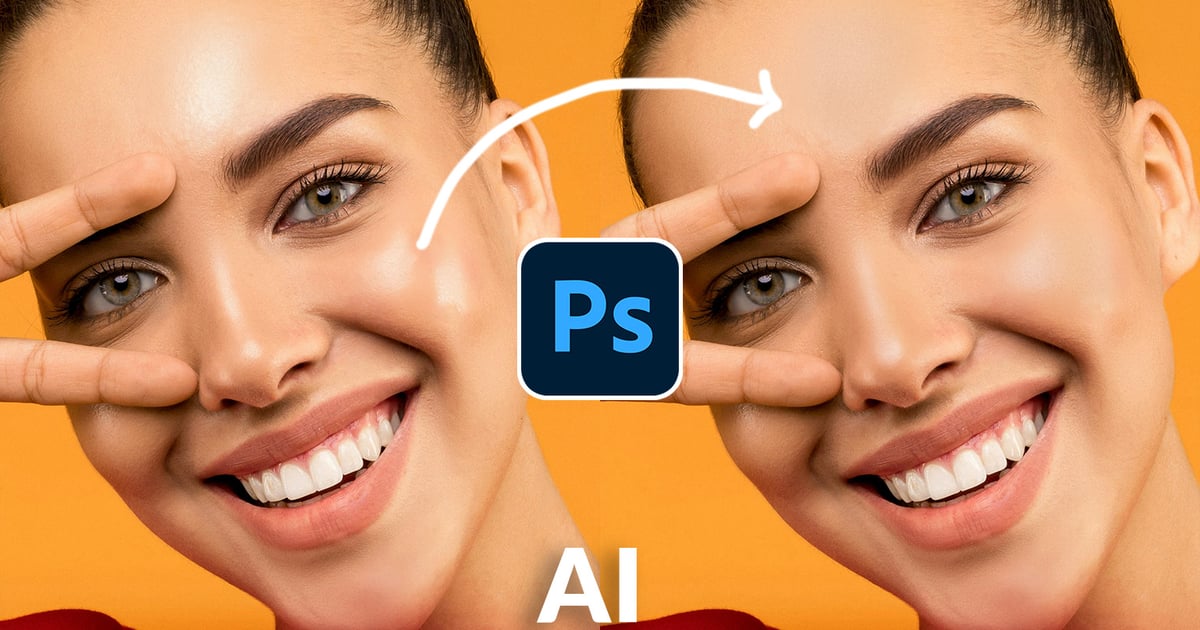
Original creative preview & visual showcase
⚡ High-Speed Direct Cloud Download
Original untouched resource package hosted on 5TB unlimited Google Drive: